
Sell digital templates online from your own store
Design templates, spreadsheet templates, resume templates, presentation templates, project-management templates — sold from your own store with instant delivery. For Notion systems, see sell Notion templates. Own your buyer list. No template marketplace taking a slice of every download.
Sell different types of templates from one store
Use the same store for design files, spreadsheets, resumes, presentations, and other digital templates.
Design templates
Figma files, Canva templates, PSD/AI templates, mockups, brand kits — sold as ZIPs with instant download.
Spreadsheet templates
Google Sheets, Excel templates — budgets, dashboards, CRMs, project trackers. Sold as .xlsx or shareable Google links.
Resume templates
Sell resume, CV, and cover-letter templates as editable Word, Google Docs, PDF, or other supported files.
Notion templates
Life OS, project trackers, second brains, business dashboards — sold as Notion duplicate links.
Explore Notion →Presentation templates
PowerPoint decks, Keynote templates, Google Slides — pitch decks, course decks, workshop templates.
Template bundles
Combine related templates into a bundle and sell them together as one offer.
See bundles →"I already have the template. What's next?"
You already have the template. The only question is how to put it up for sale and stop dealing with every order manually.

That's it, your template is ready to sell.
For Figma, Canva or other services you can use a link, and for downloadable files — the file itself.
You see the order in your dashboard, and delivery happens automatically.
For example, the basic version — just the template, and the extended one — the template plus extra files or materials.
From there you can add new templates or bundles.
Show buyers what is included before they purchase
Present a template in your store and on its own product page with the information buyers need before purchasing.
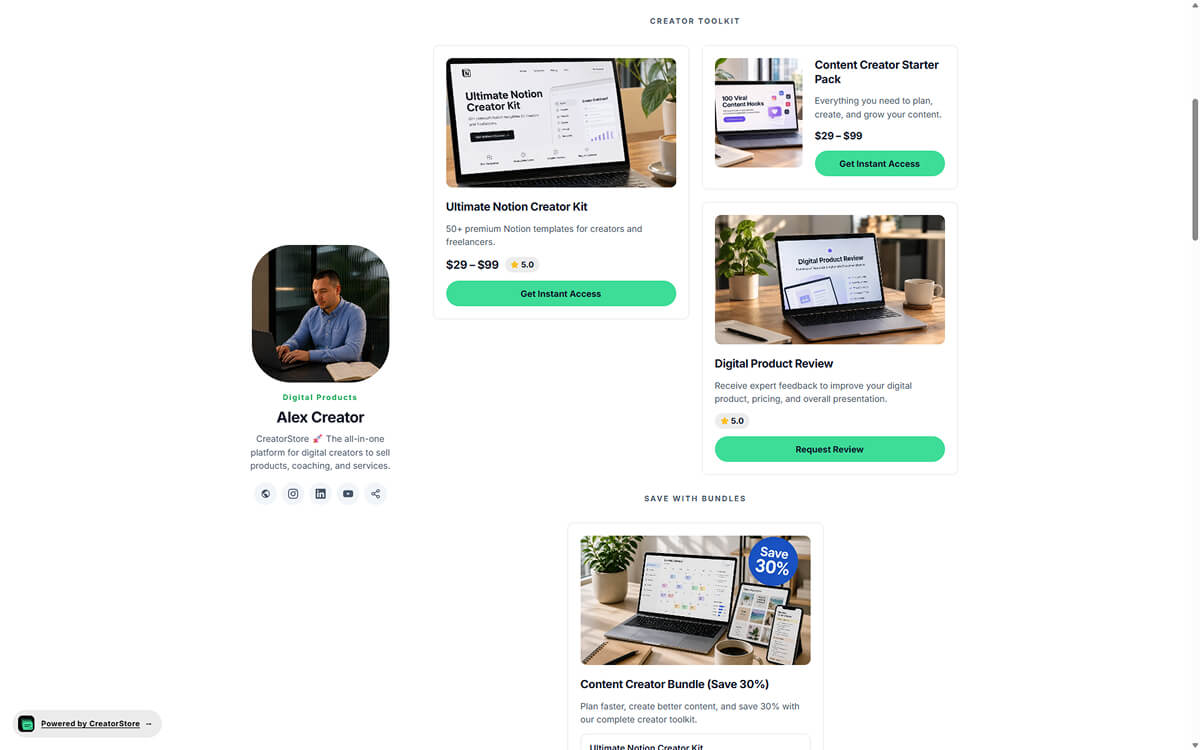
Template as a card in the store
The template sits on your CreatorStore page as a clean card — preview image, title, subtitle, price and "Buy" button. The buyer sees it alongside your other templates. One click and they either buy through a popup or open the full sales page.
- Choose a card style for how the product appears in your store
- Price shown directly on the card
- Lives inside your store — no jumping to a third-party page
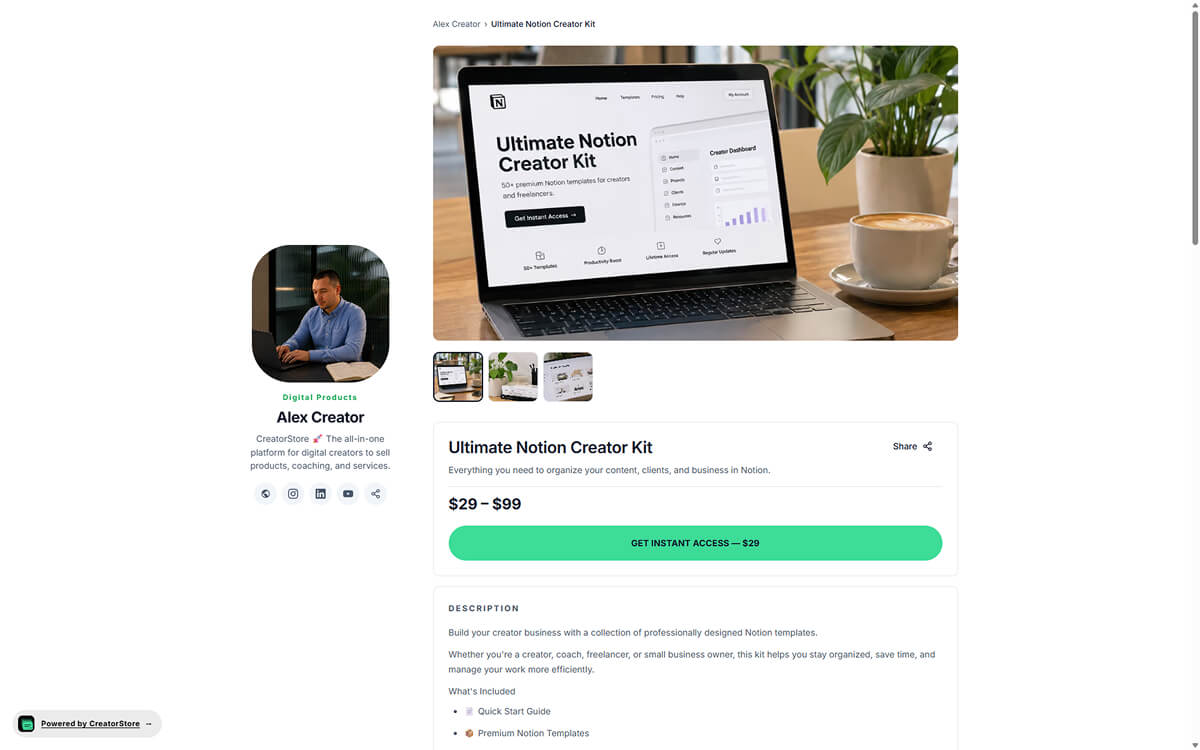
A dedicated product page for each template
Each template can have its own product page with a URL, SEO title and description. Add a cover, gallery, screenshots, video, description, and FAQ to explain what the buyer receives.
- Own URL, own meta title and description
- SEO title and description for the product page
- Product page with gallery, video, description, and FAQ
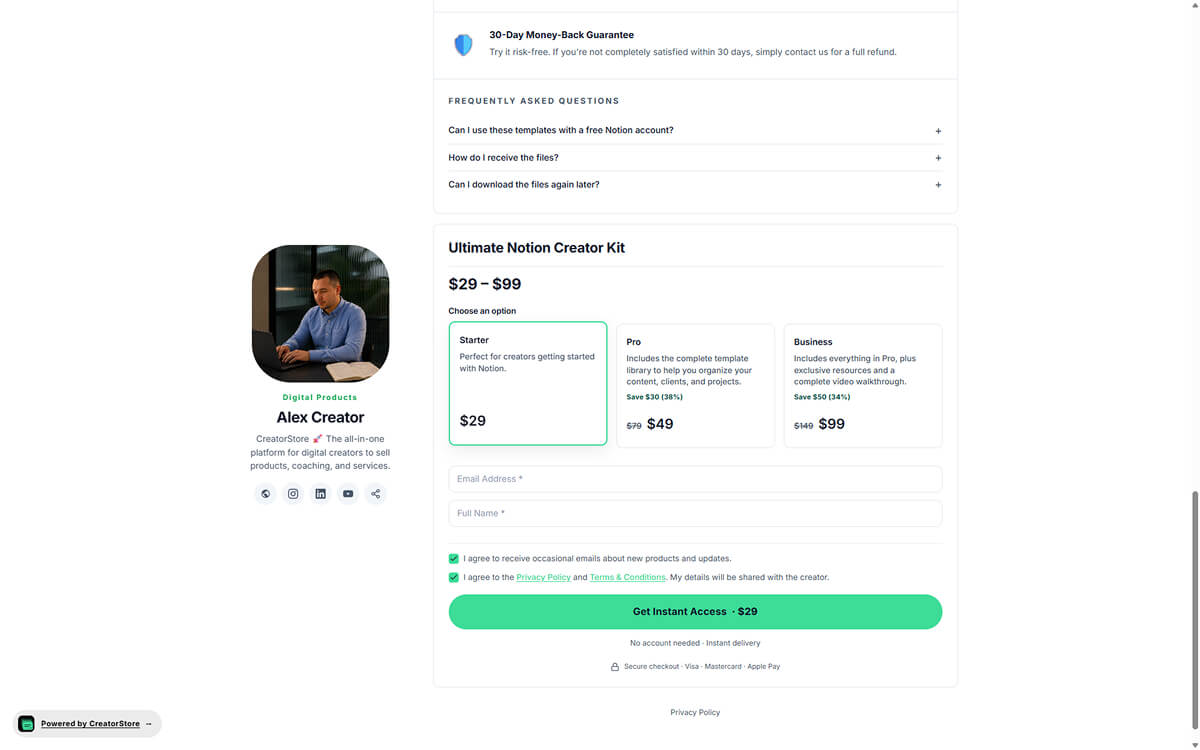
Offer more than one version of a template
If you offer different versions of the same template, explain what is included in each option and set the corresponding price and files.
- Multiple versions of one template side by side
- Different files per tier — different downloads
- Show the differences between available options
- Optional badges: "Most popular", "Best value"
Open the example to see how template products are presented in a CreatorStore page
Example template stores
Explore example stores built on CreatorStore. See how downloadable templates, kits, and pricing are presented.
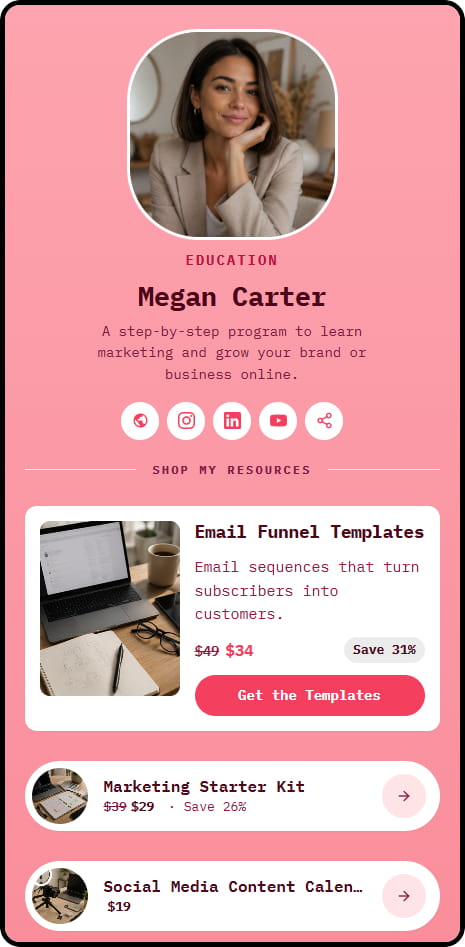
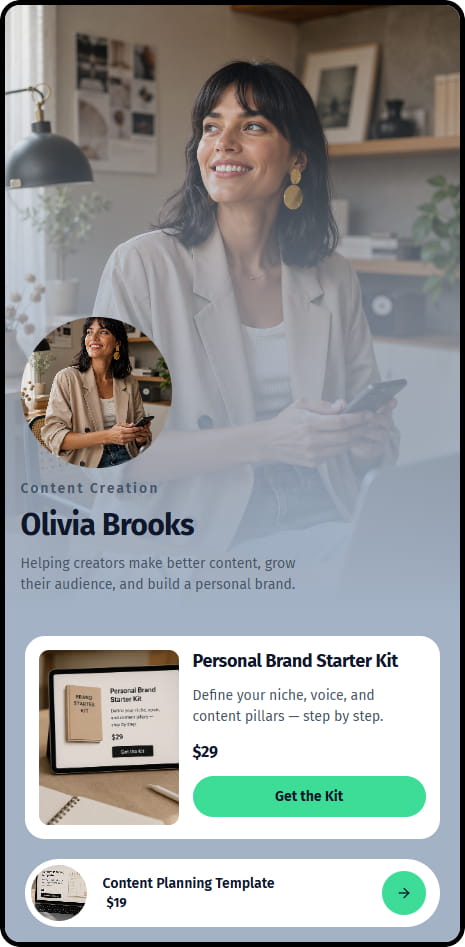
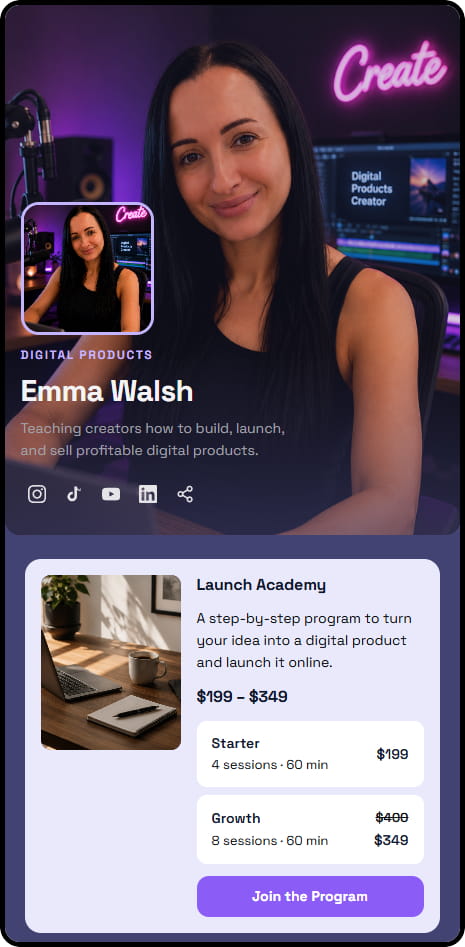

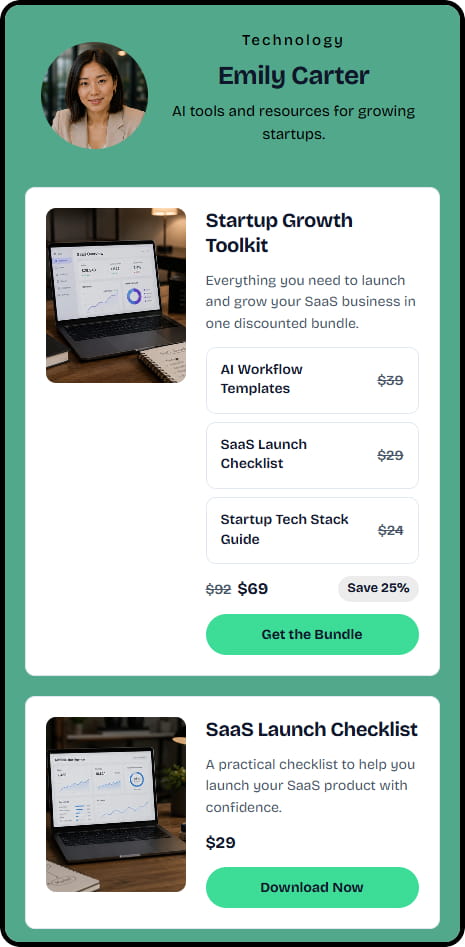
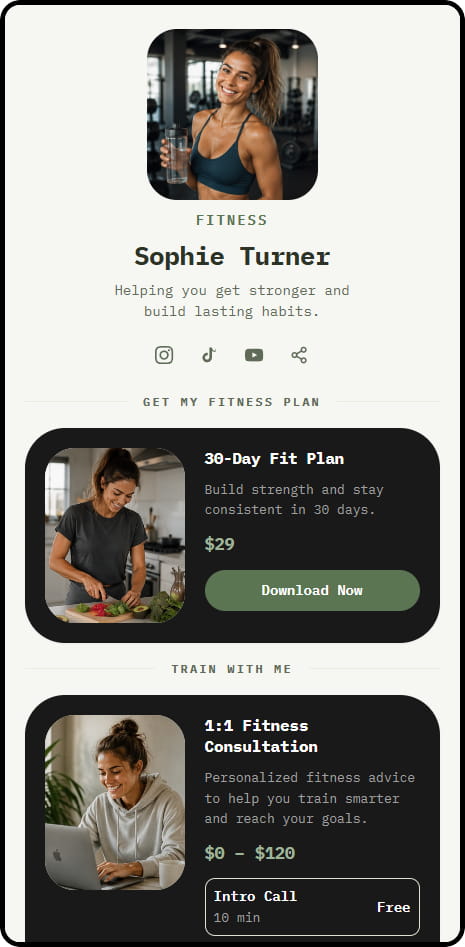
14 live example stores across coaching, consulting, education, and product niches
"What does the buyer actually see?"
Just posting the file isn't enough. The buyer needs to see what's inside, get a clear choice, and a clear path to checkout.
You can show the product itself before purchase — cover, screenshots, video, description, and who it's for.
No need to build a separate page for each variant.
A buyer who's already bought one template stays your customer — and can come back for the next one.
From there you can add new products, bundles and funnel people to your store.
Track template orders, customers, and store activity
Every sale lands in your dashboard with the buyer, the product, the amount, and the payment provider. Revenue, traffic sources, and the full visitor funnel are built in — no Google Analytics setup required.
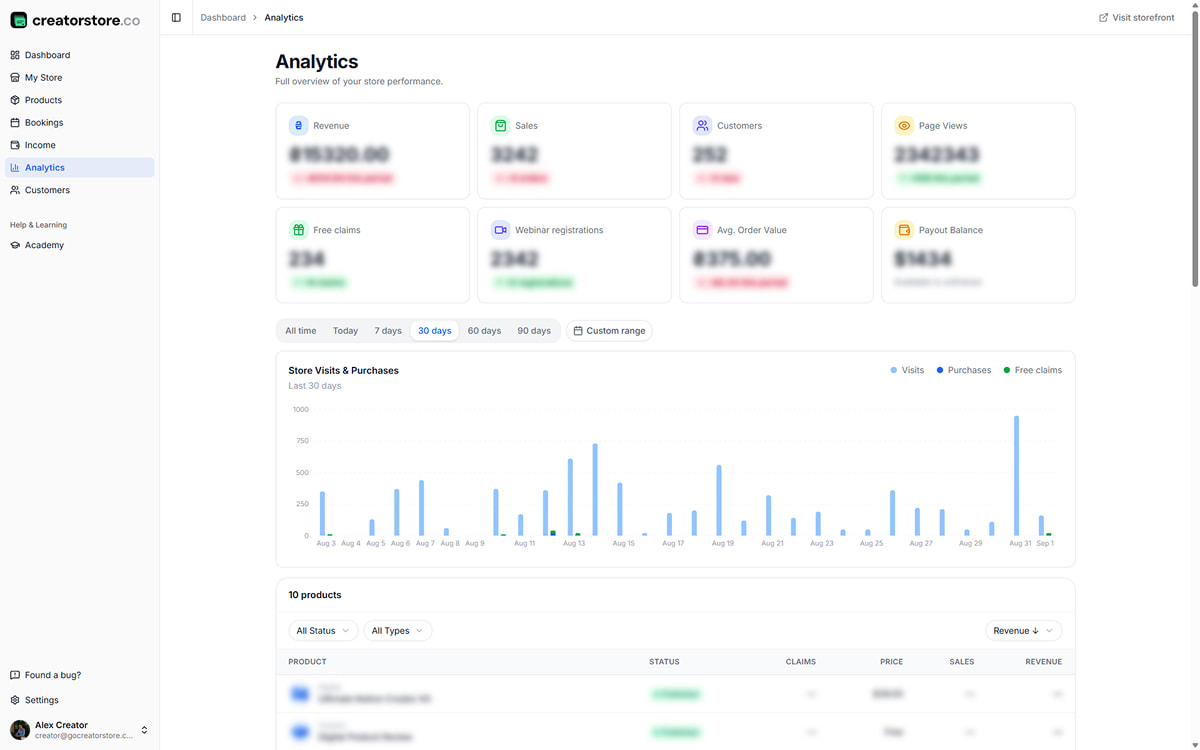
See revenue, sales, and traffic in one screen
Stat cards up top: Revenue, Sales, Customers, Page Views, Free claims, Avg Order Value, Payout Balance. A bar chart shows Store Visits & Purchases over the last 30 days. The product-level breakdown shows which template earns and which one sits still.
- Key store metrics with trend indicators
- Store visits and purchases chart
- Time-range filters for analytics
- Product-level breakdown — revenue, sales, and claims per template
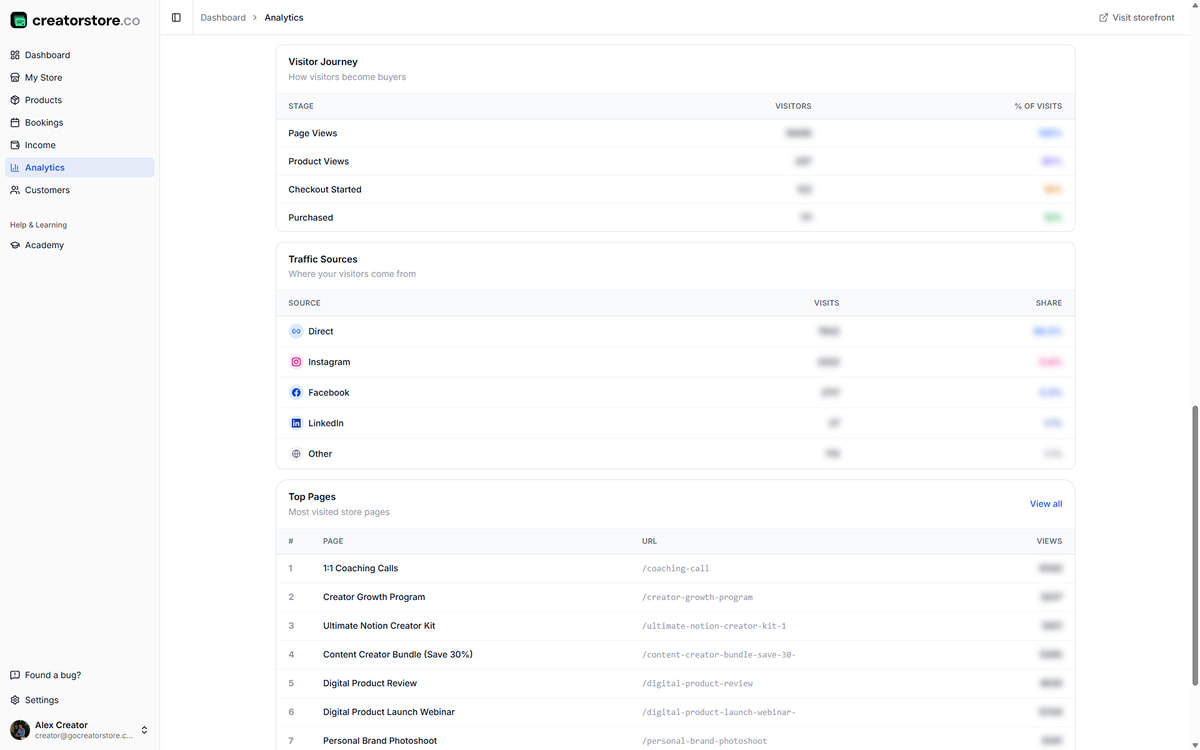
Where template buyers come from and where they drop off
The Visitor Journey funnel runs Page Views → Product Views → Checkout Started → Purchased, with drop-off at every stage. Traffic Sources breaks down Direct, Instagram, Facebook, LinkedIn, and more. Top Pages ranks your most-visited store pages.
- Visitor Journey funnel with drop-off percentages
- Traffic Sources: Direct, Instagram, Facebook, LinkedIn, and more
- Top Pages: which pages get the most views
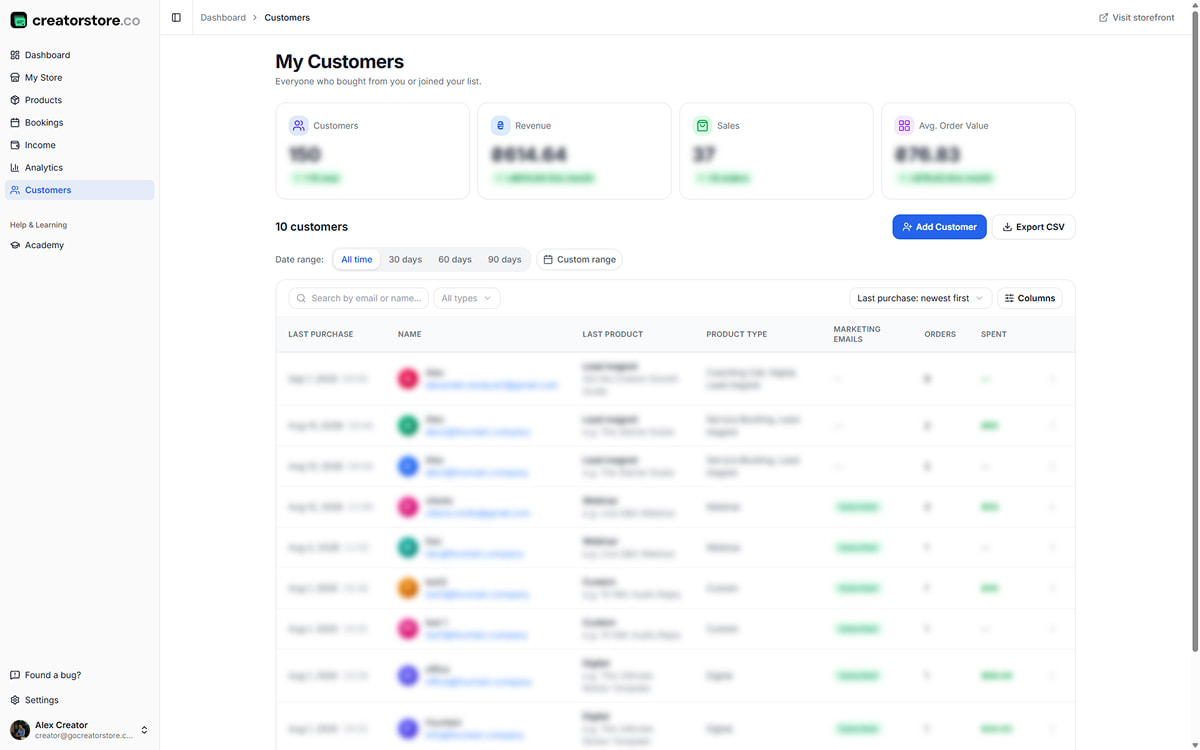
Every buyer and every order in one place
Every buyer lands in My Customers — name, email, last purchase, last product, product type, marketing status, orders count, total spent. Search by name or email, filter by date. Add customers manually, export CSV for your email tool or CRM.
- Customer table: name, email, last purchase, product, orders, spent
- Search + filter by date, product type, subscription status
- Add customer manually + Export CSV
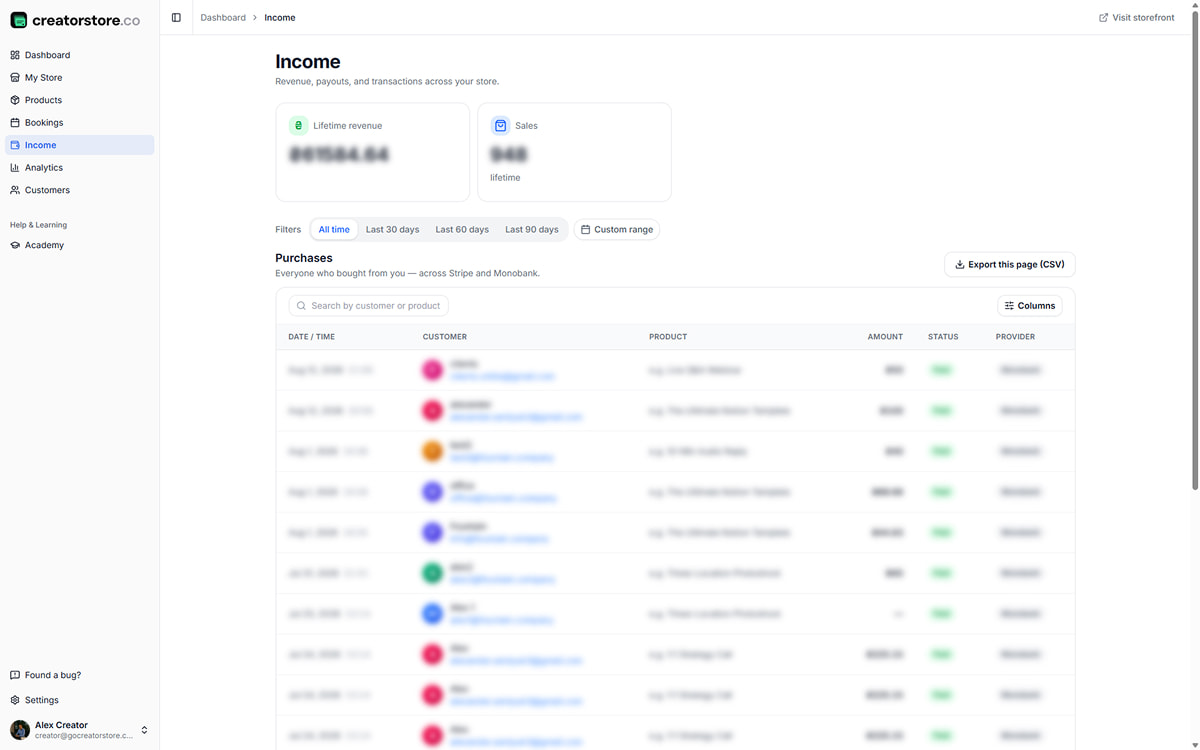
Every transaction across Stripe and PayPal
Every purchase across all your templates in one table — date, customer, product, amount, status, payment provider. Filter by date range, search by customer or product. Stripe and PayPal in the same list, so you don't check separate dashboards. Export CSV for accounting.
- Purchases table: date, customer, product, amount, status, provider
- Filter by date (All time · 30/60/90 days · Custom)
- Multi-provider: Stripe, PayPal in one view
- Export CSV for accounting
Keep your template customers in your own customer list
Customer details from your sales are available in your dashboard, so you can manage buyers and use your customer data in your own workflow.
Your buyer list
Buyer names and email addresses are available in your customer dashboard. Export customer data as CSV when you need it for your email or CRM workflow.
Bundle freedom
Combine related templates into bundles and present them as one offer in your store.
Your template-shop domain
Connect your own domain so your template store uses your brand or personal web address.
Set your own prices
Choose the price for each template or bundle and update it when your offer changes.
Product-level SEO
Template product pages can have their own URL, SEO title, and description.
Export customer data
Export customer data as CSV when you need a copy for another part of your workflow.
Selling templates online — frequently asked questions
Common questions about template formats, delivery, bundles, customer data, and updates.
What template formats can I sell?
Can I sell Notion templates too?
Can I bundle multiple templates?
Can I still use a marketplace AND CreatorStore?
Do I keep every buyer's email?
How do updates work?
Can I run a launch discount?
How do buyers get support if the template has issues?
Create your template store
Upload templates, bundle them, share the link. Every sale is 100% yours — and every buyer is your customer for the next template you make.
✓ 0% platform commission · ✓ Bundles · ✓ Customer list · ✓ 14-day free trial