
Sell coaching online from your own store
Create coaching offers clients can understand, pay for, and book online. Sell 1:1 calls, session packages, programs, group sessions, and supporting digital products from one store.
- Accept payment and bookings for coaching sessions
- Sync availability with Google Calendar and use Google Meet
- Keep client and order details in your CreatorStore dashboard
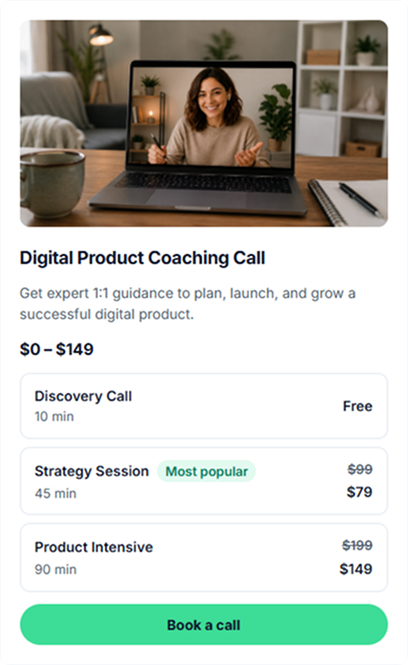
Sell coaching calls, session packages, programs, and group sessions
Coaching offers — one-time, recurring, hourly, packaged — uses the same booking flow.
Free discovery call
Offer a free introductory call when you want prospective clients to book a short conversation before choosing paid coaching.
Single 1:1 session
Sell a single coaching session with online payment, calendar booking, and Google Meet integration.
Session packages
Bundle multiple coaching sessions into one package that clients can purchase and book over time.
Custom coaching engagement
Create a coaching program with its own description, price, and intake information for more structured client work.
Group coaching webinar
Run a live group coaching session with a date and seat limit. Add the meeting details for the video service you use.
Coaching + digital resources
Combine coaching with workbooks, templates, guides, or other digital resources in the same store.
How your coaching booking page looks to clients
Clients can browse a coaching offer in your store, open its dedicated page, and choose an available booking option. Live example: creatorstore.co/@alex-creator. For the full scheduling mechanics see how call scheduling works.
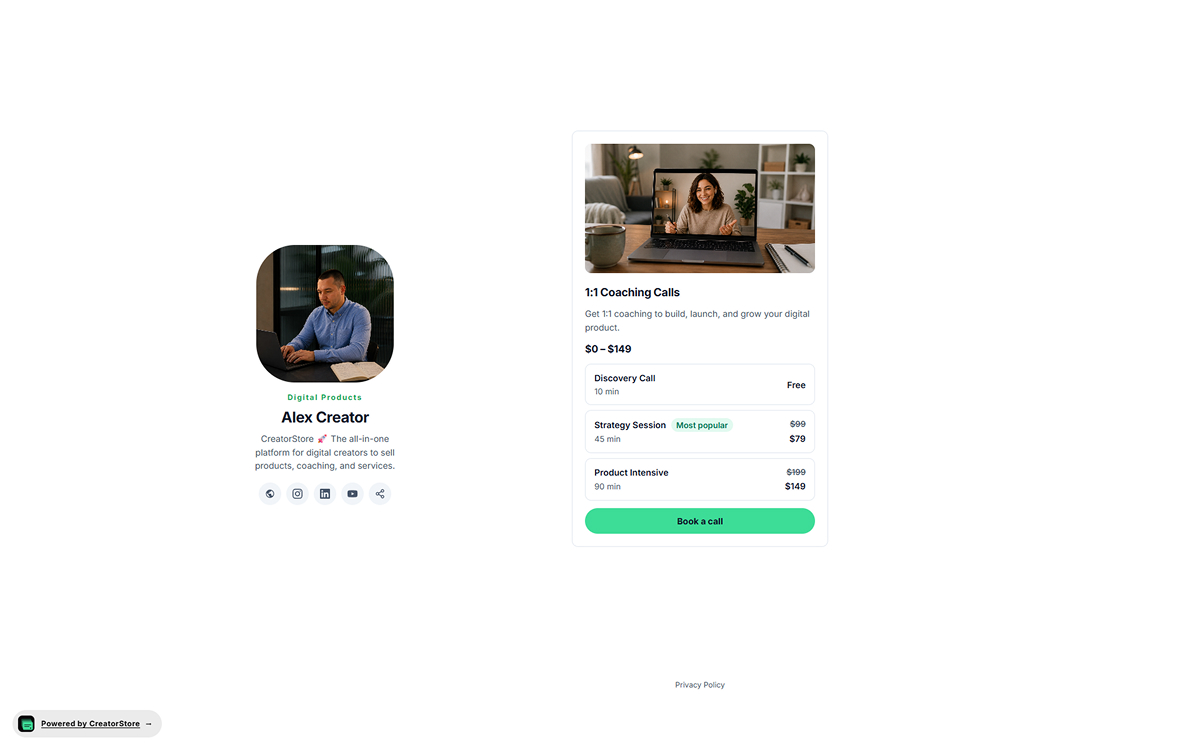
Show coaching offers in your store
A coaching offer can appear in your storefront with its cover, title, description, price information, and booking action. Clients can open the offer to see more details.
- Choose the card style that fits your storefront
- Show available coaching options where supported
- Sits inside your storefront layout — no external redirect
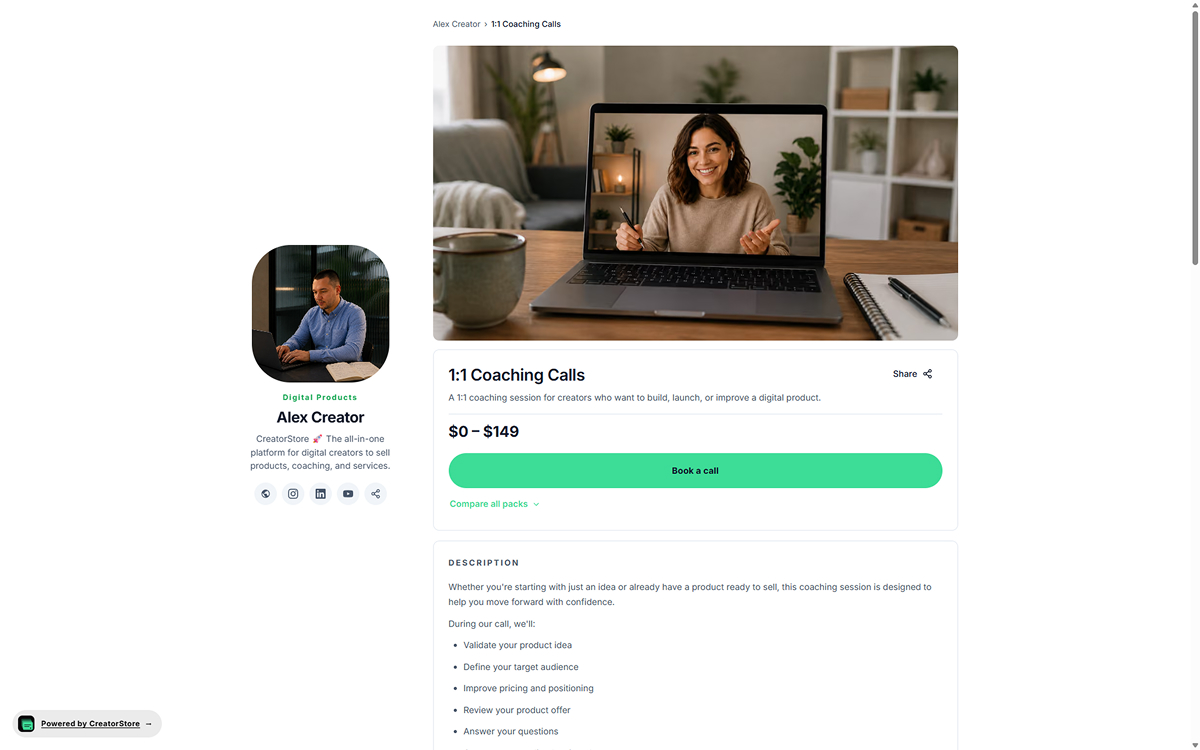
Give each coaching offer its own page
Each coaching offer can have its own URL and page with the information a client needs before booking. Product-level SEO settings let you define the page title and meta description.
- Its own URL, own meta title and description
- Set SEO metadata for the offer page
- Add relevant details, media, testimonials, and FAQs
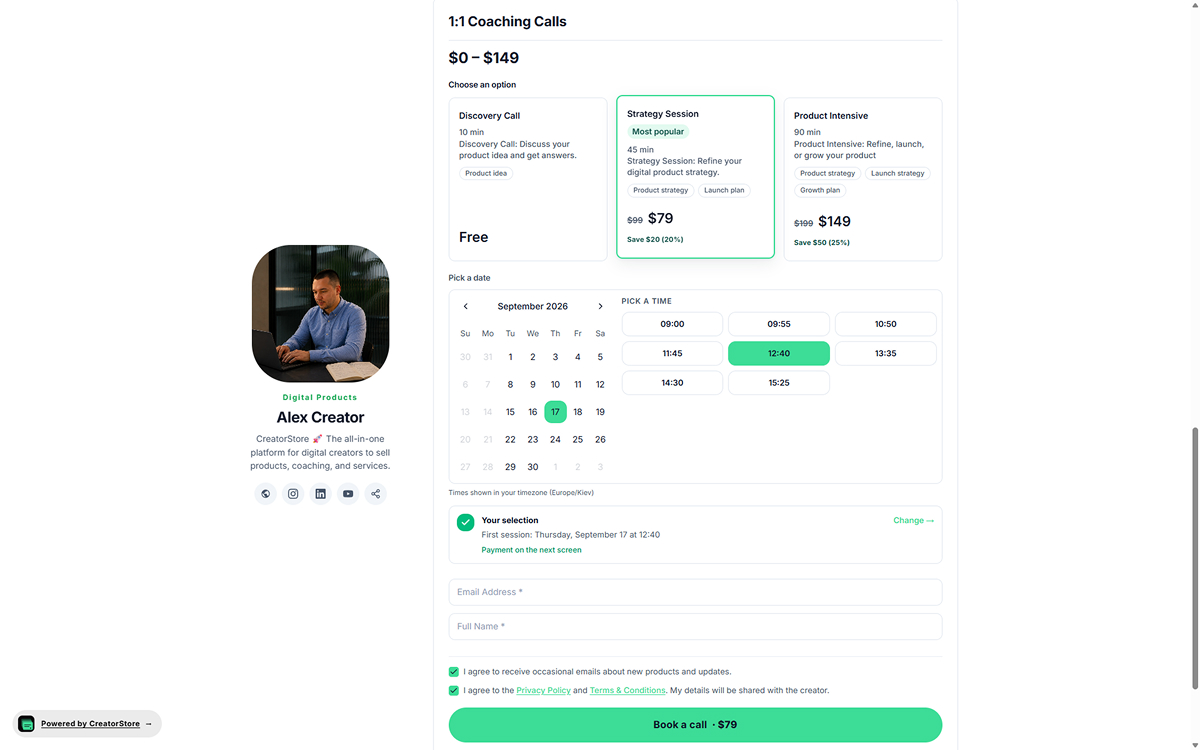
Let clients choose a coaching option and time
When an offer has multiple coaching options, clients can compare them and choose the one they need. They can then select an available date and time in their timezone.
- Present multiple options for the same coaching offer
- Built-in calendar + time slots in the buyer's timezone
- Set pricing for each available option
- Email, name, and consent captured before booking
Open the demo store to see how coaching offers can appear
See example CreatorStore storefronts
Open an example store to see different layouts, offers, and ways creators present their products and services.
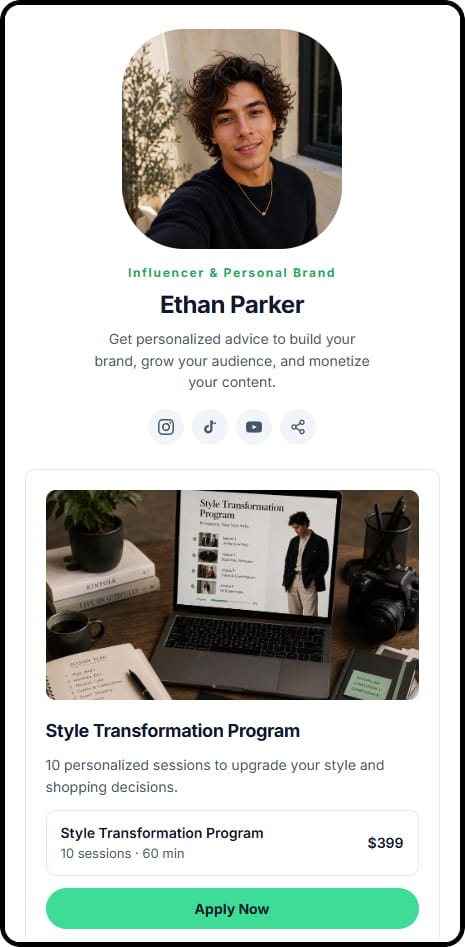
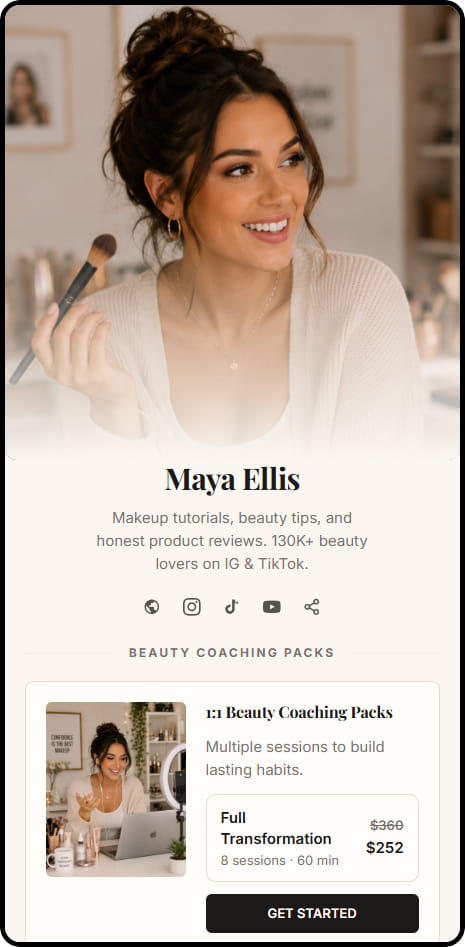
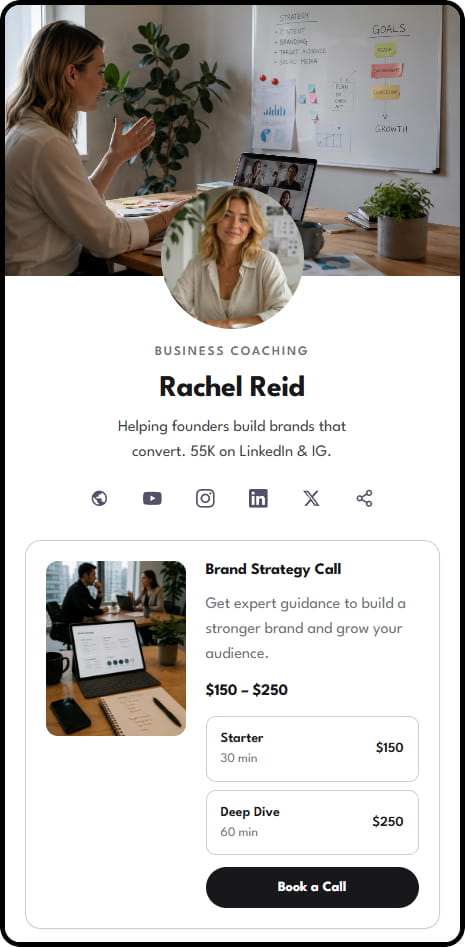
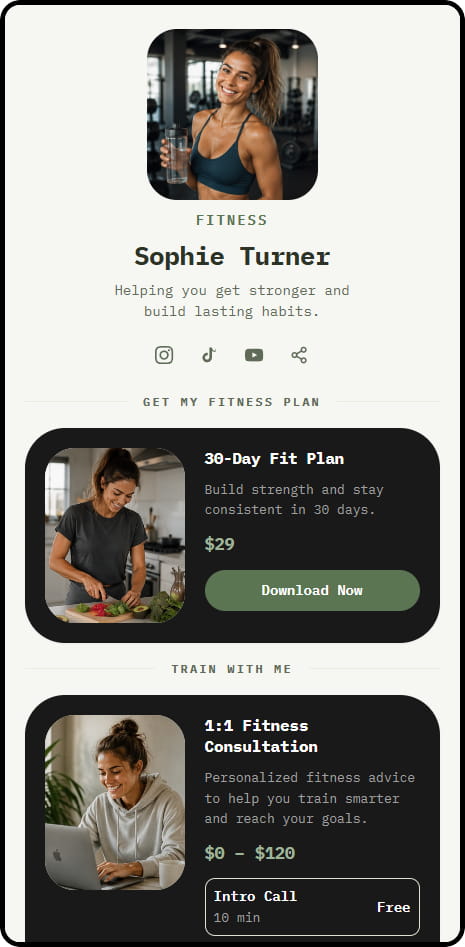
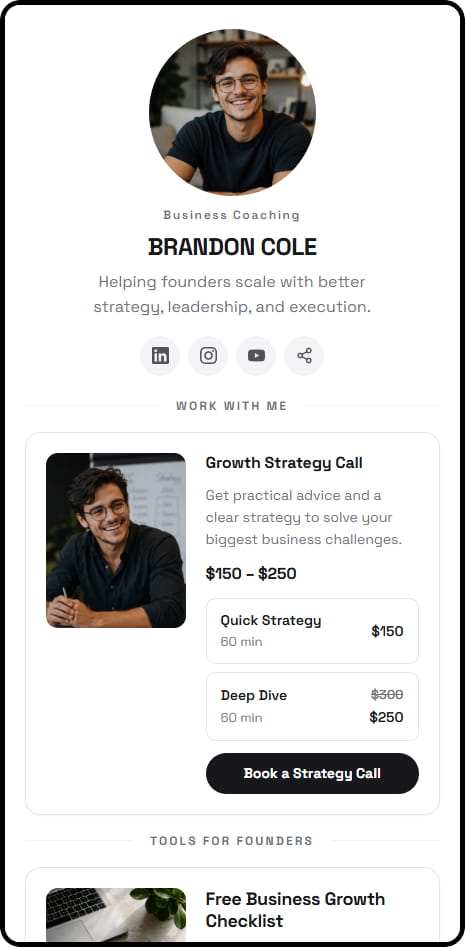
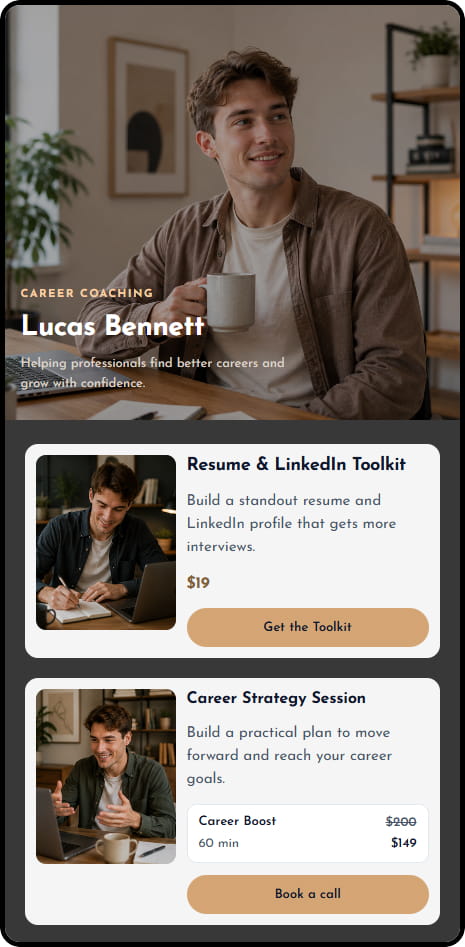
Browse examples across coaching, consulting, education, and product niches
Keep coaching clients and bookings in your dashboard
Keep client and booking information together so you can manage current sessions and future offers from the same dashboard.
Your client list
Keep client contact and booking information in your dashboard and use it to manage your coaching work.
Payment upfront
For paid coaching sessions, collect payment as part of the booking flow and define your cancellation and rescheduling policies.
Your coach domain
Connect a custom domain and use it for your coaching storefront.
Deposits and payment installments
Use Service Booking when a coaching service requires a deposit or payment installments.
Sell coaching and supporting products together
Add coaching sessions, workbooks, digital products, and workshops to the same storefront.
Export customer data
Export available customer data when you need a copy outside CreatorStore.
Manage coaching sales and bookings in one store
Use CreatorStore for offer pages, booking, Google Meet integration, payments, and client information.
- ✕A booking app for calendar
- ✕Payment links for payment
- ✕A video-call subscription
- ✕A landing page tool + a CRM for client notes
- ✕A spreadsheet for pipeline + email tool
- ✓Sales page + calendar built in
- ✓Google Meet sync — one-click connection
- ✓Payment upfront — Stripe, PayPal
- ✓Client list on your dashboard, on your own domain
- ✓Split payment via Service Booking when needed
“Should I start with one session or a package?”
Start with an offer clients can understand quickly, then add a format for longer-term work.

Selling coaching online — frequently asked questions
Common questions about selling coaching services through CreatorStore.
Can I connect Google Calendar?
Can CreatorStore create Google Meet links for coaching calls?
Can I sell single 1:1 coaching sessions?
Can I sell coaching session packages?
Can I offer a free introductory call?
Can I take a deposit or offer payment installments?
Can I use my own domain?
What commission does CreatorStore charge on coaching sales?
Can I sell digital products alongside coaching?
Sell coaching online.
Stop quoting in DMs.
A real sales page, calendar booking, Google Meet, and payment upfront — all on one URL. Every client's email is yours to keep.
✓ 0% commission · ✓ Calendar & Google Meet · ✓ Payment upfront · ✓ 14 days free