
Sell consulting online from your own store
Turn consulting work into clear offers clients can understand and buy. Sell audits and projects, book advisory calls, offer session packages, and use Service Booking when you need deposits or payment installments.
- Create clear consulting offers with their own pages and prices
- Book and take payment for advisory calls
- Use Service Booking for deposits or payment installments
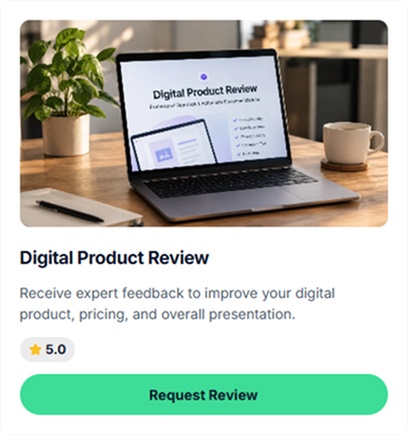
Sell audits, advisory calls, projects, and session packages
Consulting offers works with the same sales-page-plus-payment infrastructure — just different structures and price points.
Fixed-scope audits
Sell a defined audit with its own description, price, scope, and delivery details.
Hourly advisory calls
Let clients choose an available time, pay for the session, and meet through your connected meeting setup.
Custom projects
Sell consulting projects such as research, strategy work, or launch planning. Service Booking supports deposits and payment installments.
Session packs
Offer multiple consulting sessions as a package that clients can purchase and book over time.
Advisory retainers
Describe an ongoing advisory arrangement as a clear consulting offer with its scope and payment terms.
Playbooks & frameworks
Turn reusable consulting materials into digital products such as playbooks, templates, or frameworks.
How your consulting page looks to clients
Clients can browse an offer in your store, open its dedicated page, and choose available booking options. Live example: creatorstore.co/@alex-creator.
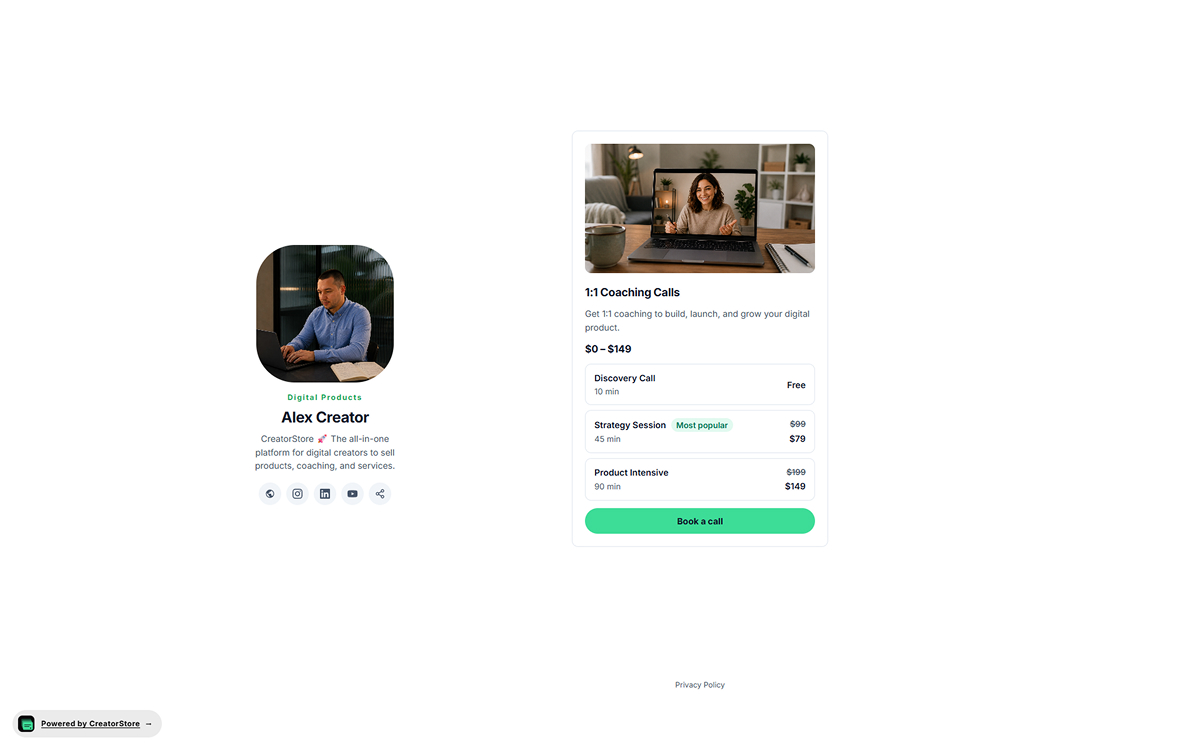
Show consulting offers in your store
A consulting offer can appear in your storefront with its cover, title, description, price information, and booking action. Clients can open the offer to see more details.
- Choose the card style that fits your storefront
- Show available offer options where supported
- Sits inside your storefront layout — no external redirect
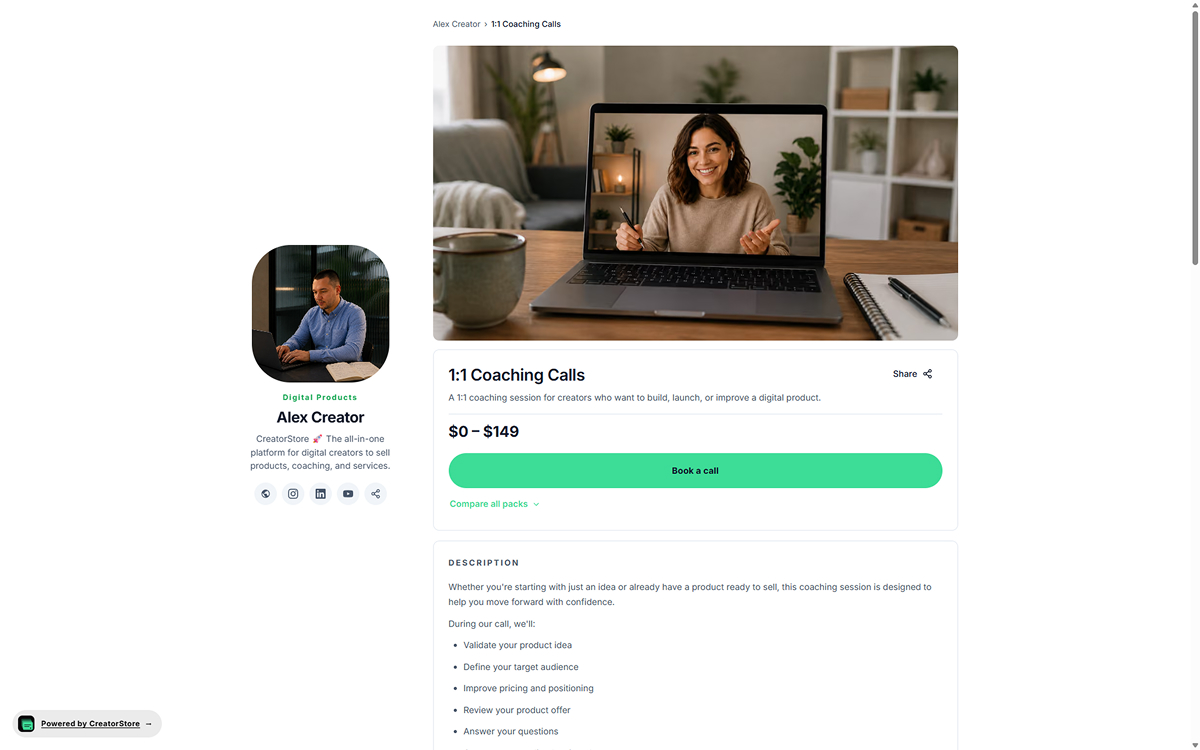
Give each consulting offer its own page
Each offer can have its own URL and page with the information a client needs before buying or booking. Product-level SEO settings let you define the page title and meta description.
- Its own URL, own meta title and description
- Set SEO metadata for the offer page
- Add relevant details, media, testimonials, and FAQs
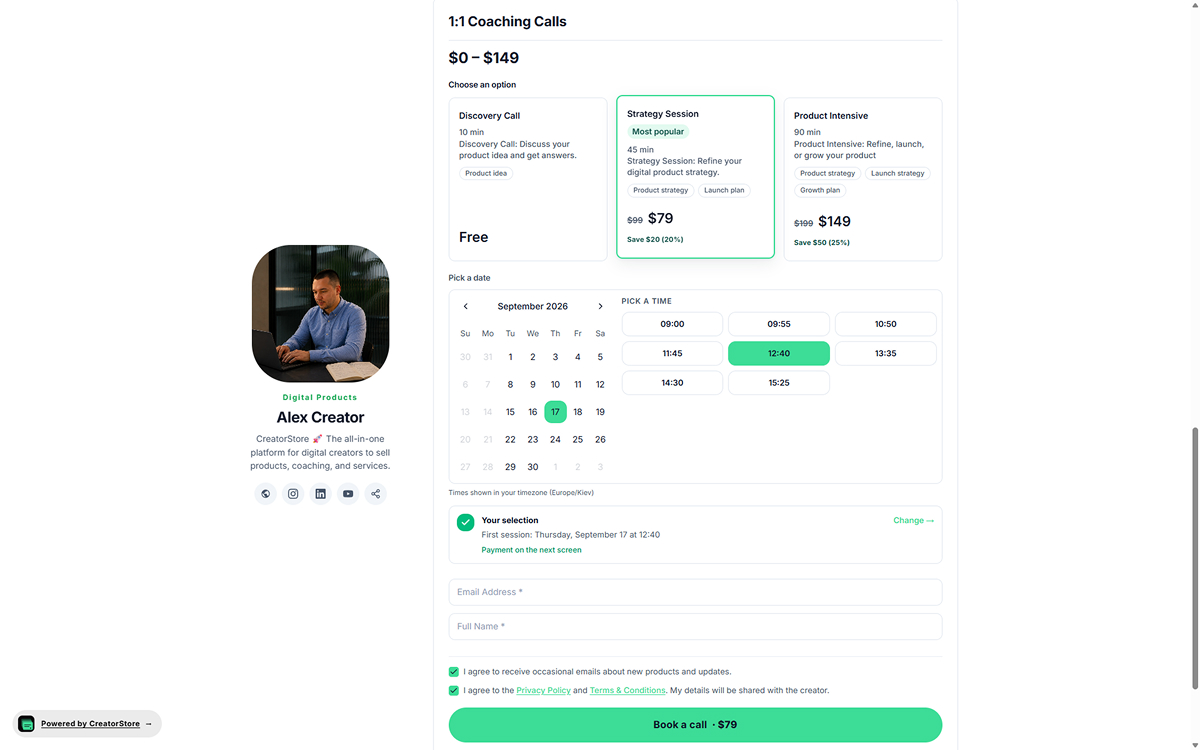
Let clients choose an option and booking time
When an offer has multiple options, clients can compare them and choose the one they need. For bookable sessions, they can then select an available date and time in their timezone.
- Multiple tiers per offer — you name them
- Built-in calendar + time slots in the buyer's timezone
- Present multiple options for the same offer
- Email, name, and consent captured before booking
Open the demo store to see how consulting offers can appear
Example consulting stores
Explore example stores built on CreatorStore. See how consultants present their services, calls, and pricing.
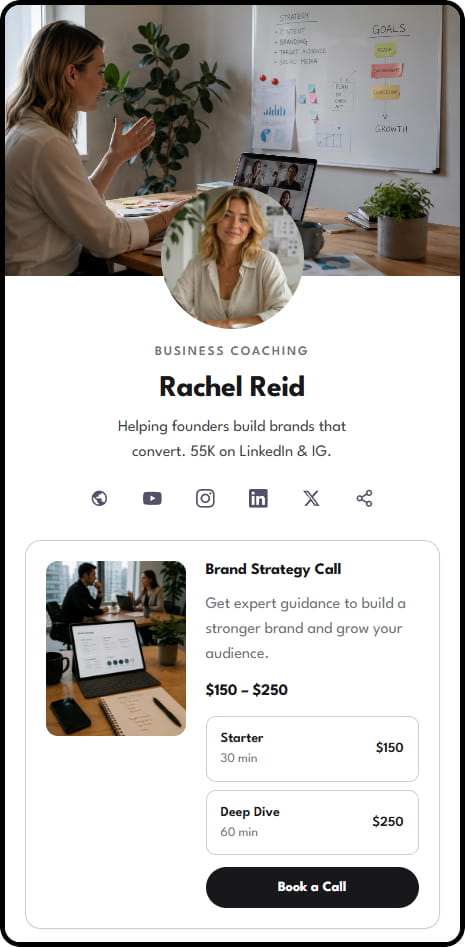
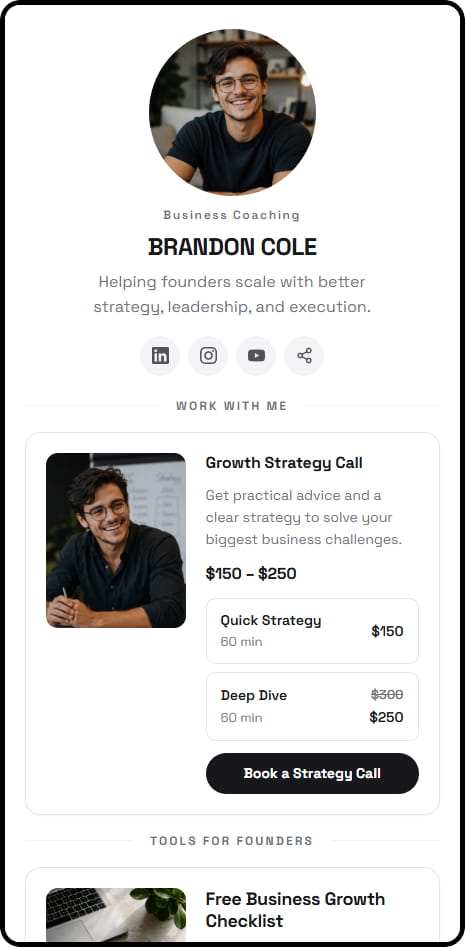

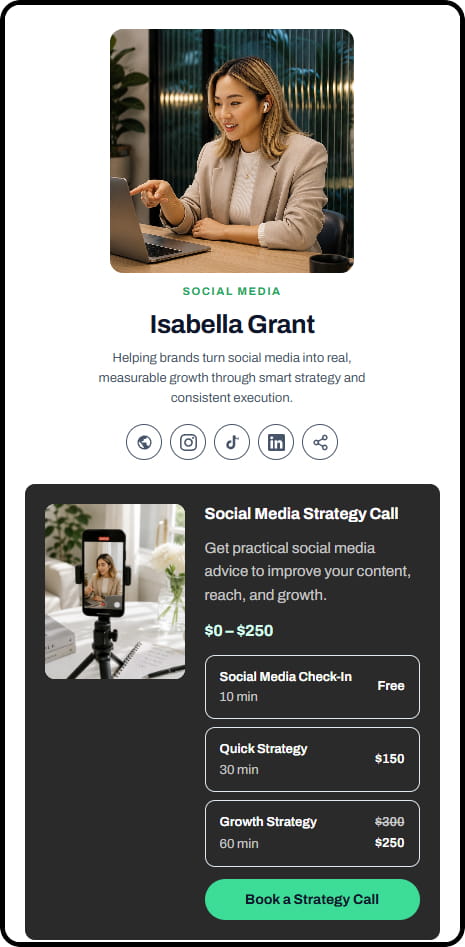
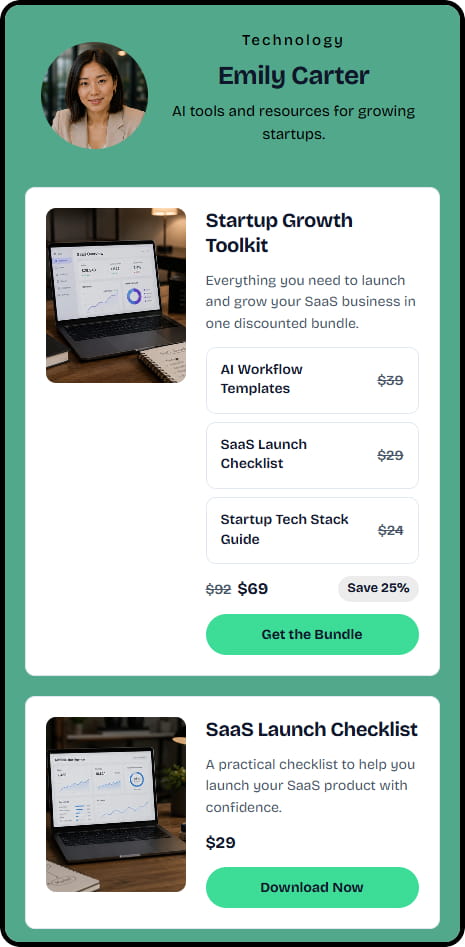
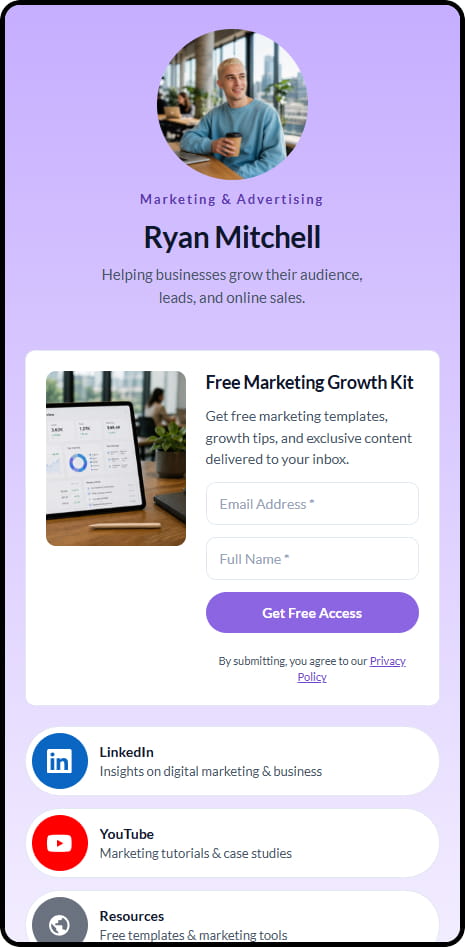
14 live example stores across coaching, consulting, education, and product niches
Manage your practice, bookings, and payments in one dashboard
Calendar for the big picture, list-view for filters and export, booking detail for one-click Join, global settings for booking rules.
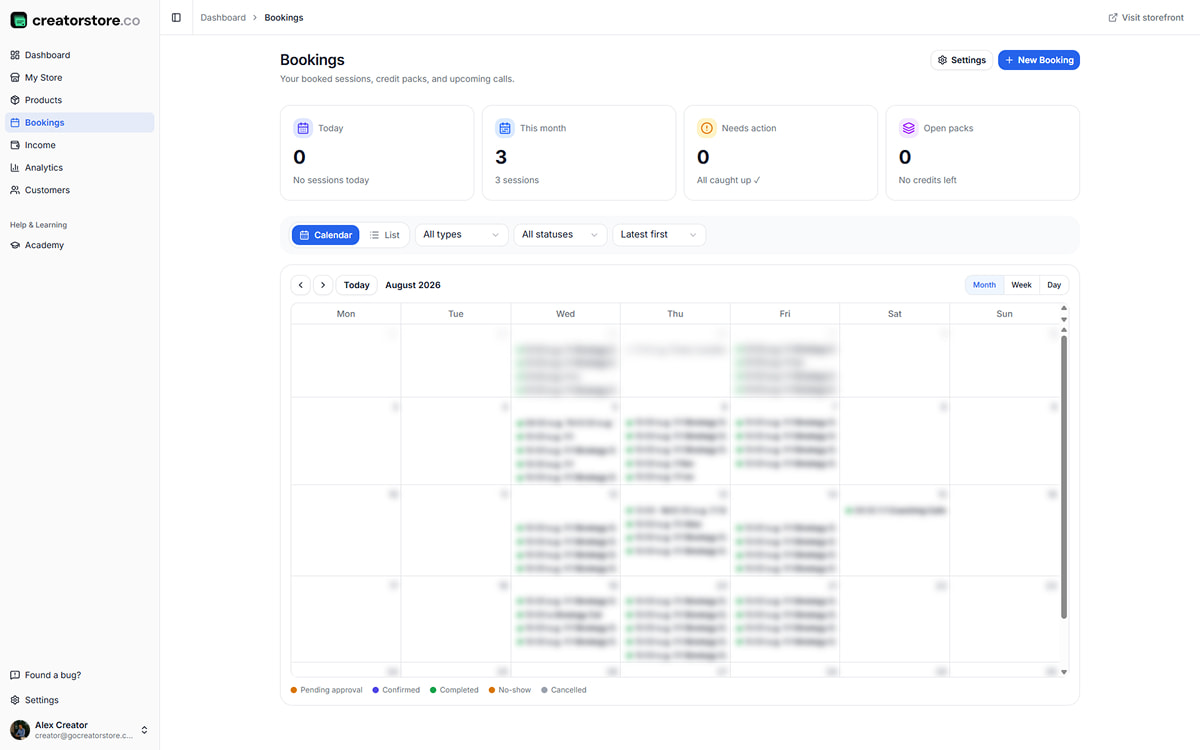
View consulting bookings in your calendar
Every booking on the calendar — today, this month, anything needing attention, all active projects. Flip between month, week, day views. Bookings color-coded by status: pending, confirmed, completed, no-show, cancelled.
- Month · week · day views
- Color-coded statuses at a glance
- Stat cards: Today · This month · Needs action · Active projects
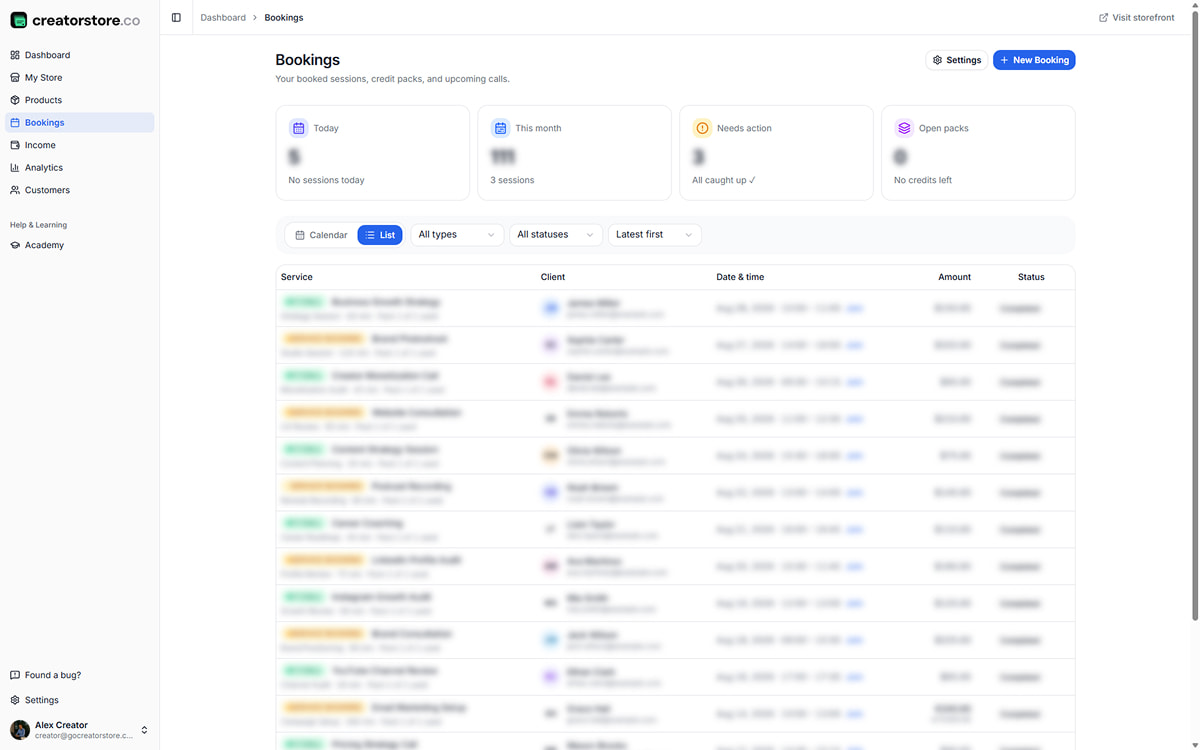
Filter, sort, and export your bookings
Table view when you want to filter or sort. Show only advisory calls, only active audits, only this week. Each row has client, offer, time, amount, and a Join link when the meeting starts. Sort by date or client. Export CSV for accounting.
- Filter by offer type or status
- Sort by date, client, or amount
- Join link right in the row — no digging through email
- CSV export for accounting
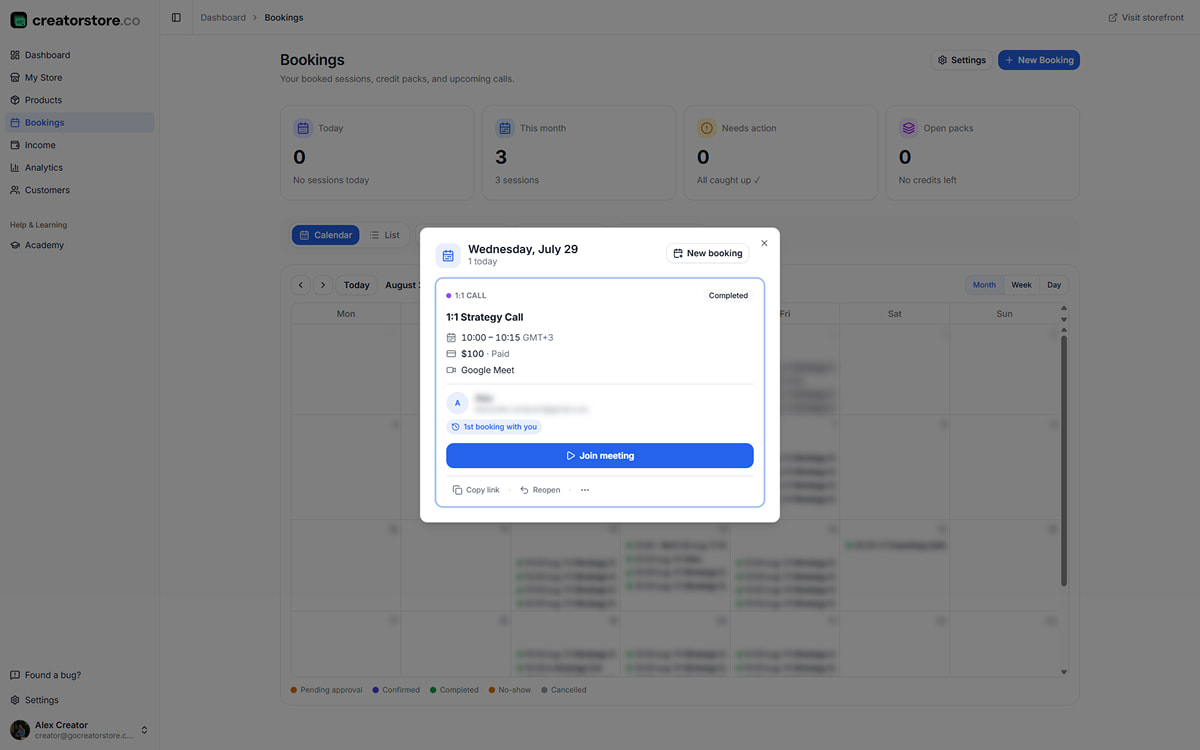
Open the details for a booking
Click a booking and the full card opens — client name and email, payment status, brief responses, meeting link, and a big blue "Join meeting" button. "First client" badge flags new clients so you can prep a warmer intro. Copy link, reopen, mark no-show — right there.
- Client name, email, payment status in one card
- "Join meeting" is the dominant action
- "First client" badge for context
- Copy link · Reopen · No-show · More
Set booking rules for your offers
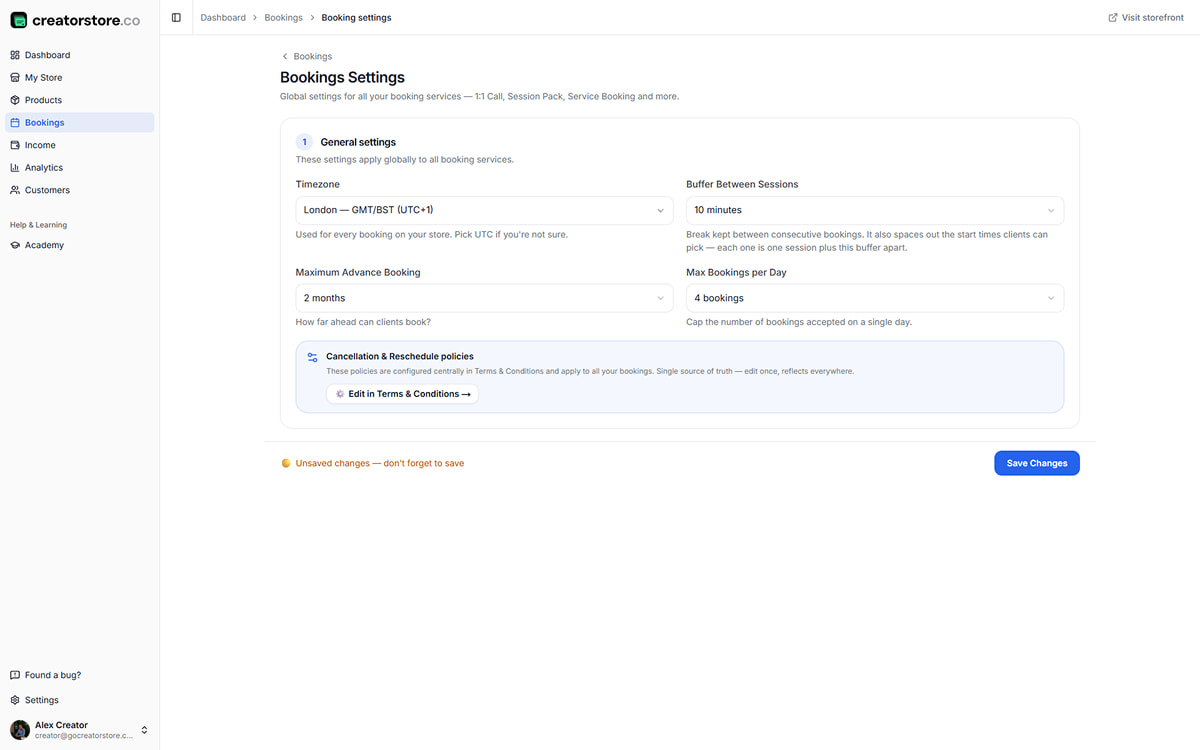
Global settings apply to every offer — advisory calls, audits, projects. Timezone, buffer between meetings, how far ahead clients can book, max bookings per day. Cancellation and reschedule policies pull from your Terms & Conditions — one source of truth.
- Timezone, buffer, advance-booking window
- Max bookings per day — no accidental overbooking
- Cancellation policies pulled from your T&C
- Applies to advisory calls, audits, projects, and retainers
Manage consulting bookings from the CreatorStore dashboard
Keep your consulting offers and client details together
Use one storefront for consulting offers, bookings, customer information, and the pages you share with prospective clients.
Customer and order information
Keep customer and order information in your dashboard and export customer data when needed.
Deposits and payment installments
Use Service Booking when a consulting project requires a deposit or payment installments.
Your practice domain
Connect a custom domain and use it for your consulting storefront.
Set your own consulting prices
Choose a price for each offer and explain clearly what the client receives.
Show your consulting offers together
Put audits, advisory calls, projects, and other offers in the same storefront so clients can browse the options.
Export customer data
Export available customer data when you need a copy outside CreatorStore.
Selling consulting online — frequently asked questions
Common questions about selling consulting services through CreatorStore.
How can I sell consulting online with CreatorStore?
Can I sell fixed-scope consulting projects?
Can I take a deposit or offer payment installments?
Can I sell advisory calls?
Can I sell packages of consulting sessions?
Can I use my own domain?
Does CreatorStore charge commission on consulting sales?
Can I access my customer data?
Can I sell digital products alongside consulting?
Create your consulting store
Audits, calls, projects, retainers — every offer productized, on your own domain. Deposits and payment installments via Service Booking when you need it.
✓ 0% commission · ✓ Own client list · ✓ 14 days free